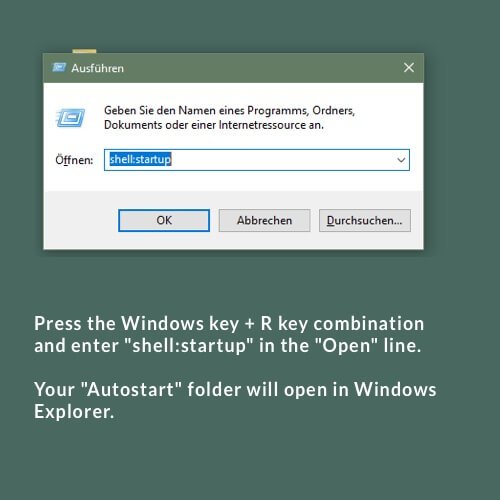
1. Press the Windows key + R key combination and enter “shell:startup” in the “Open” line.
2. A Windows Explorer window will open with the “Startup” folder of the currently logged on user.

1. Press the Windows key + R key combination and enter “shell:startup” in the “Open” line.
2. A Windows Explorer window will open with the “Startup” folder of the currently logged on user.
Das könnte Sie auch Interessieren:
Marking radio stations as favourites
Your Sonos favourites Under “Select Music Source” => “Sonos Favourites” you will find your radio stations marked as favourites.
Prerequisite for this tutorial: Your Sonos S2 system is set up and ready to use.
You can also get help setting up your Sonos system and using our streaming URLs on the Sonos website.