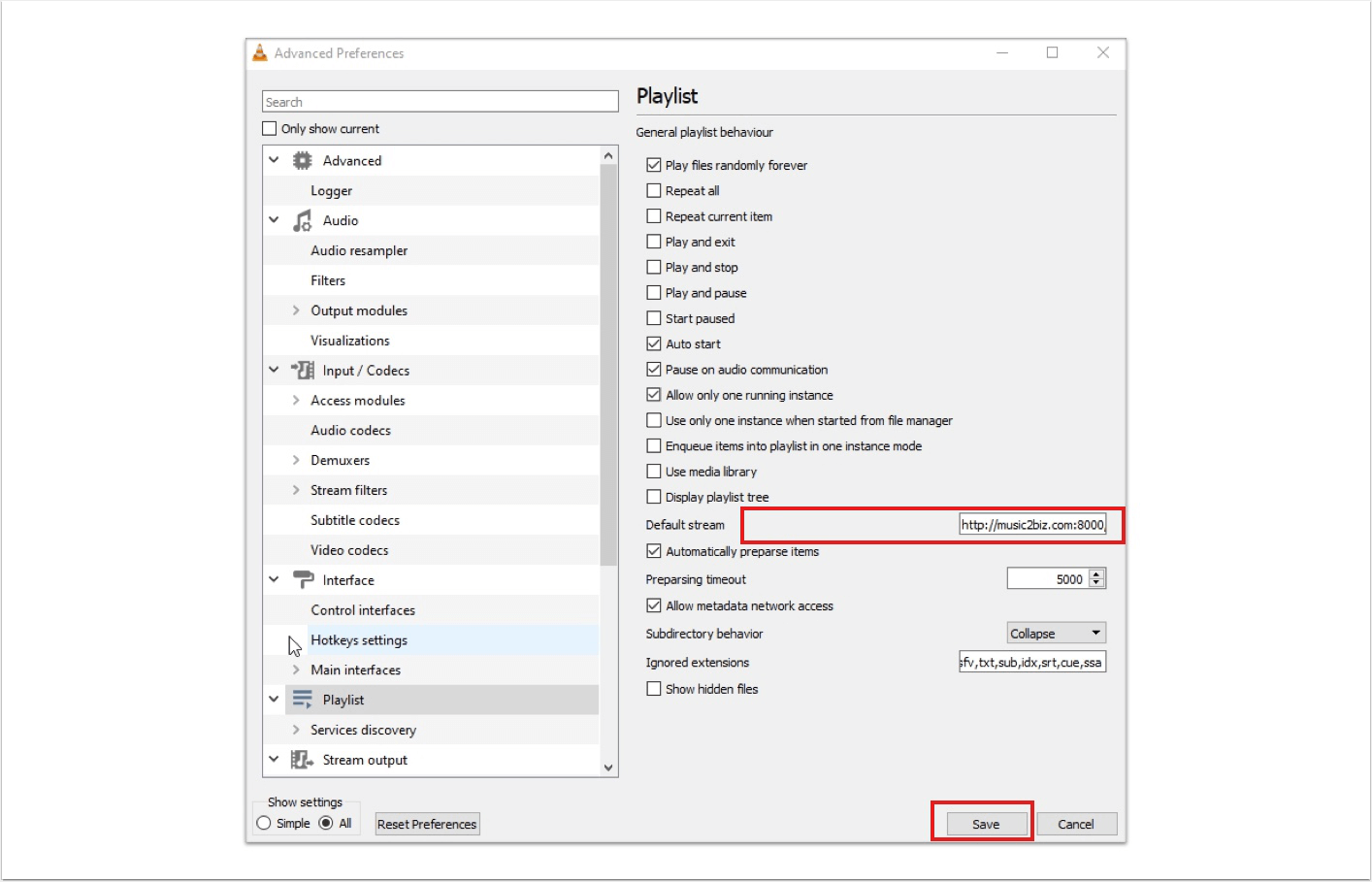
Paste the stream URL from the cache into the field to the right of Default Stream/Standard Stream.
- Click Save.
- Exit the VLC Player.
After restarting the player, the music program will start automatically.

Paste the stream URL from the cache into the field to the right of Default Stream/Standard Stream.
After restarting the player, the music program will start automatically.
Das könnte Sie auch Interessieren:
The playlist URLs in the Media Library
Start the individual programs for testing. After a program is played, the program name is displayed in the Media Library.
Visit the MUSIC2BIZ Homepage! On the MUSIC2BIZ homepage click on “Customer Account” in the upper navigation a submenu will open.
Your Sonos speaker start playing music
4 It’s done: Your Sonos loudspeaker system should start playing the MUSIC2BIZ music program you’ve selected.