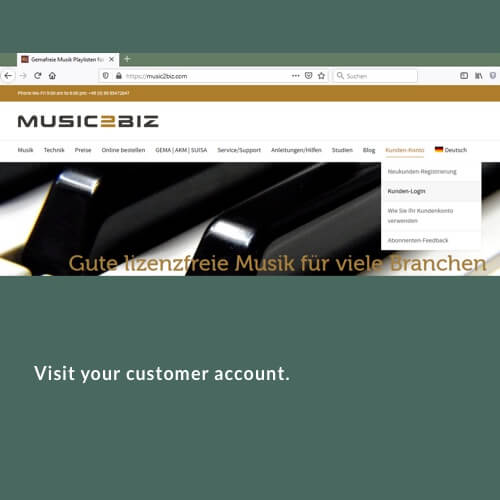
On the MUSIC2BIZ homepage click on “Customer Account” in the upper navigation. A submenu will open.
Click on “Customer Login”. The login page will open.

On the MUSIC2BIZ homepage click on “Customer Account” in the upper navigation. A submenu will open.
Click on “Customer Login”. The login page will open.
Das könnte Sie auch Interessieren:
Download player and m3u file(s)
First download the VLC player file that matches your operating system. Install the VLC player using the procedure prescribed for
Store the m3u file in the Media Library.
The playlist file is now stored in the Media Library. To display all music program URLs as a list, now
Set radio station Bluesy as favorite
3.1.3 Click the blue arrow and select “Play Now”. Your Sonos speaker will now start playing the MUSIC2BIZ Bluesy program.