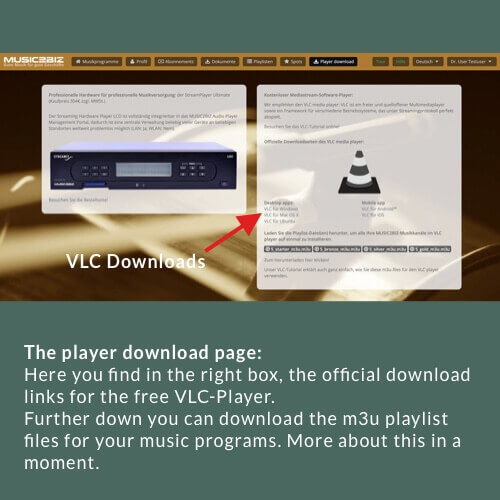
First download the VLC player file that matches your operating system.
Install the VLC player using the procedure recommended for your operating system. Instructions can be found on the Internet. Then place a link to the VLC Player on your desktop.

First download the VLC player file that matches your operating system.
Install the VLC player using the procedure recommended for your operating system. Instructions can be found on the Internet. Then place a link to the VLC Player on your desktop.
Das könnte Sie auch Interessieren:
Music program selection on the start page of the customer account
1.2 The start page of your customer account will open with the program selection buttons. Click on any program selection
Set radio station Bluesy as favorite
3.1.3 Click the blue arrow and select “Play Now”. Your Sonos speaker will now start playing the MUSIC2BIZ Bluesy program.
Download your m3u-Playlistfiles
To avoid confusion you might want to rename the file(s) according to the shop areas or shop locations where the