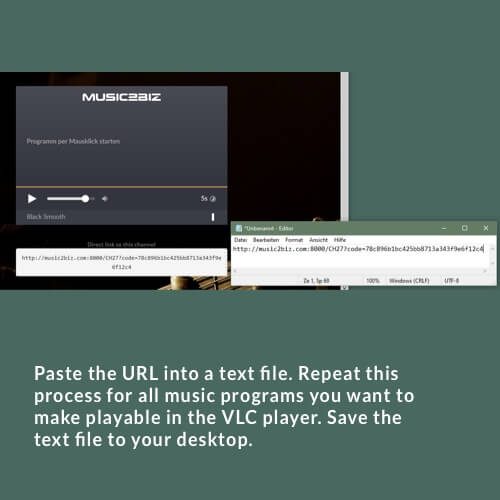
Open a text file and copy all stream URLs of the music programs you want to play in the VLC player into this text file.
Save the file to your desktop for later.

Open a text file and copy all stream URLs of the music programs you want to play in the VLC player into this text file.
Save the file to your desktop for later.
Das könnte Sie auch Interessieren:
To view the entire music program list double click the m3u- icon in the playlist area…. Next.
Music selection for hardware players via streaming URL
The direct links to the respective music programs can also be saved as radio stations for the streaming hardware players
Visit the Sonos Support website
Visit the Sonos download page and download the Sonos Controller App to suit your operating system and speaker generation (S1