1.1
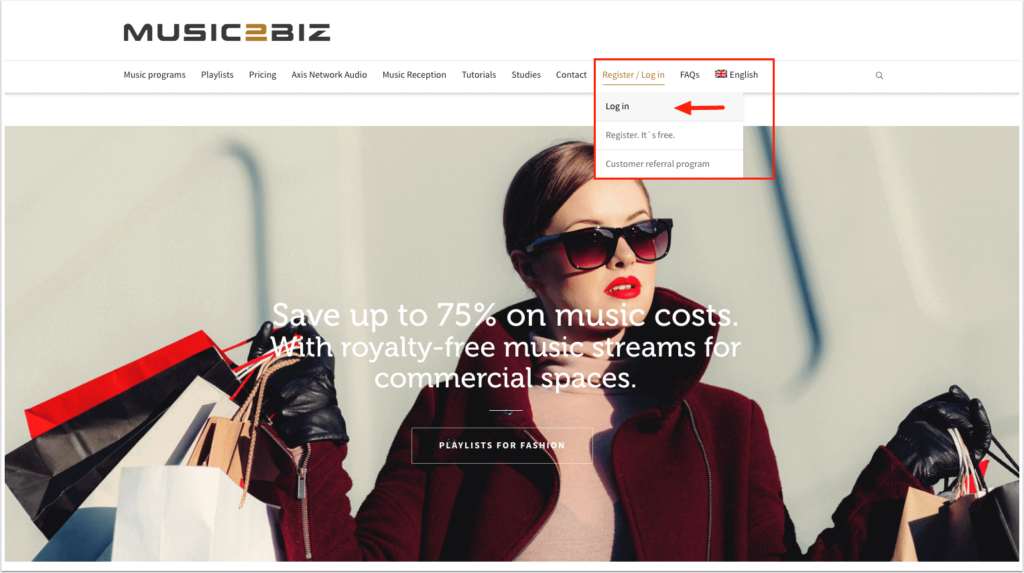
On the MUSIC2BIZ homepage you will find the menu item “Login” in the upper navigation. Click on this menu item to call up the login page for your customer account.

1.1
On the MUSIC2BIZ homepage you will find the menu item “Login” in the upper navigation. Click on this menu item to call up the login page for your customer account.
Das könnte Sie auch Interessieren:
settings for autostart of a music program
Set the following check marks: 1. random playback order/play files randomly forever 2. auto start 3. allow only one running
You have successfully installed the VLC Player for your operating system and placed the link on your desktop.
Congratulations! You made it. If you followed the tutorial successfully up to this final picture, you should play royalty free