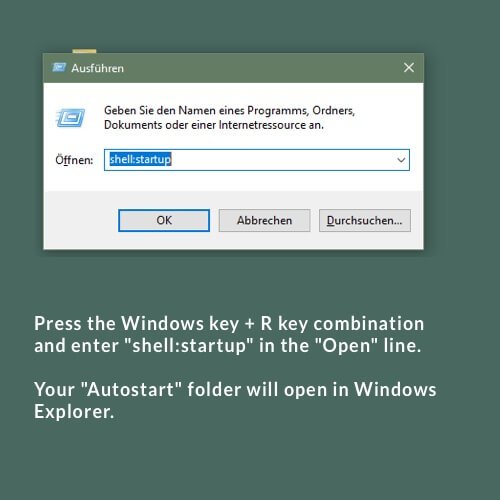
1. Press the Windows key + R key combination and enter “shell:startup” in the “Open” line.
2. A Windows Explorer window will open with the “Startup” folder of the currently logged on user.

1. Press the Windows key + R key combination and enter “shell:startup” in the “Open” line.
2. A Windows Explorer window will open with the “Startup” folder of the currently logged on user.
Das könnte Sie auch Interessieren:
Visit the Sonos Support Website
Visit the download page of Sonos Support and download the Sonos Controller App fitting for your operating system and your
On the MUSIC2BIZ homepage click on “Customer Account” in the upper navigation. A submenu will open. Click on “Customer Login”.
On the profile page you can view and update your data
Profile: Your customer data Here you can check your customer data and change or update them if necessary