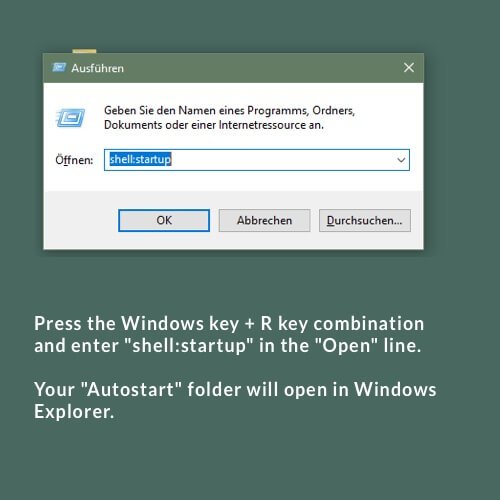
1. Press the Windows key + R key combination and enter “shell:startup” in the “Open” line.
2. A Windows Explorer window will open with the “Startup” folder of the currently logged on user.

1. Press the Windows key + R key combination and enter “shell:startup” in the “Open” line.
2. A Windows Explorer window will open with the “Startup” folder of the currently logged on user.
Das könnte Sie auch Interessieren:
Music programme selection in customer account
The music programme page in the MUSIC2BIZ customer account The music programme page opens. Here you can see all the
Copy the VLC shortcut to the Autostart folder
Keep the left mouse button pressed and drag the desktop shortcut of the VLC Player into the Autostart folder… Next.
navigate your customer account
Left sidebar and help information The navigation is done via the left sidebar, to minimize the sidebar click on the