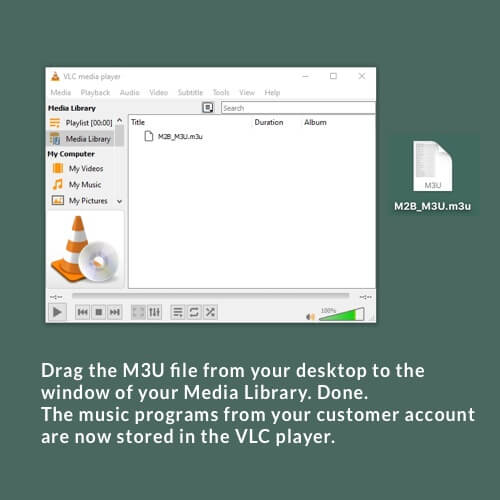
The playlist file is now stored in the Media Library.
To display all music program URLs as a list, now double-click the m3u file in the Media Library.
The stream URLs of your music programs are listed.
Next.

The playlist file is now stored in the Media Library.
To display all music program URLs as a list, now double-click the m3u file in the Media Library.
The stream URLs of your music programs are listed.
Next.
Das könnte Sie auch Interessieren:
The player starts with an empty playlist window
Your MUSIC2BIZ music programs stored in the Media Library are displayed after clicking on “Media Library” in the left menu…
Prerequisite for this tutorial: Your Sonos S2 system is set up and ready to use.
You can also get help setting up your Sonos system and using our streaming URLs on the Sonos website.
Sonos Controller App on Windows Desktop
2.1.1 The Sonos Controller Desktop App Home Page for Windows CAUTION: The “Add radio station” feature described below is only