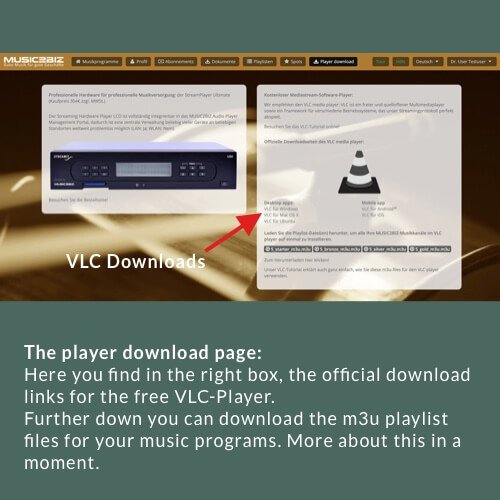
First download the VLC player file that matches your operating system.
Install the VLC player using the procedure prescribed for your operating system. Instructions can be found on the Internet. Then place a link to the VLC Player on your desktop.


First download the VLC player file that matches your operating system.
Install the VLC player using the procedure prescribed for your operating system. Instructions can be found on the Internet. Then place a link to the VLC Player on your desktop.